The price comes from the shop and can change. Check price, size and delivery on the shop's page before you order.
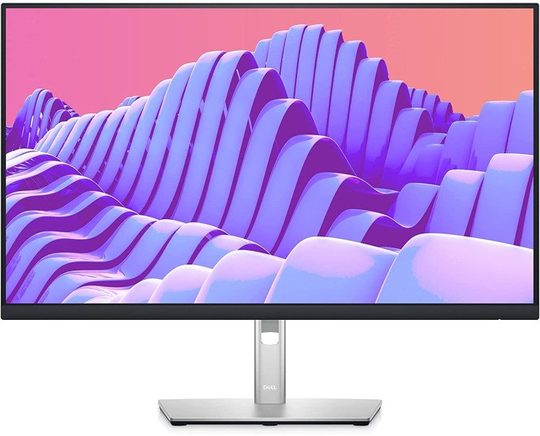
Features Comfort without sacrificing color Optimize eye comfort with Comfort View Plusi, an always-on, built-in screen that reduces potentially harmful blue light emissions while delivering excellent color accuracy. Color consistency comes standard See consistent, vibrant colors across a wide viewing angle enabled by In-Plane Switching (IPS) technology. With 99% sRGB coverage, you get precise color right out of the box. Sleek, stylish and organized Hide cords in the monitor riser to keep things organized. This sleek monitor has a three-sided ultrathin bezel, small base, and an improved, easy-to-use cable management system. Comfort is key Tilt, swivel, pivot and adjust the height of your monitor (150mm height adjustment range) for extra comfort during work. Designed with you in mind Snap on the Dell Slim Soundbar (SB521A) and elevate your listening experience. Extensive connectivity Easily connect to a variety of devices with extensive connectivity ports, including Display Port, HDMI, VGA and 4x Super Speed USB 5Gbps. Quick-access ports Easily share and deliver content via quick-access ports conveniently placed at the front of the display. Expand your efficiency The three-sided ultrathin bezel design lets you enjoy an uninterrupted view of your content across multiple monitors. Furthermore, you can boost your productivity by up to 21% with a dual monitor setup. i Productive at every level Easy Arrange allows you to easily tile multiple applications across one or more screens with 38 pre-set window partitions and the ability to personalize up to five windows, giving you improved multitasking abilities. Seamless transitions The auto-restore feature remembers where you left off, so applications will go back to where you left them, even after you’ve unplugged. The key to convenience Shortcut keys can save you even more time, letting you easily configure your display management settings so you can get to work faster. More ways to manage Asset management reports allow IT mana