The price comes from the shop and can change. Check price, size and delivery on the shop's page before you order.
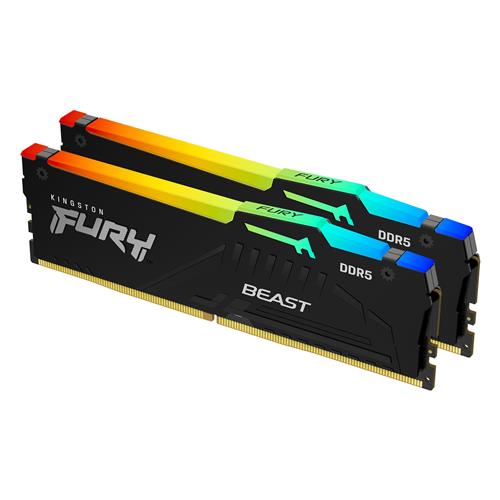
Kingston FURY Beast DDR5 RGB1 lets you overclock in style on next-gen gaming platforms with cutting-edge technology. Experience the superior speed advancements of DDR5 with double the banks and double the burst length.N/AN/AVibrant RGB lighting customisable with Kingston FURY CTRL software and patented Infrared Sync Technology along with the new heat spreader design sets you apart in and out of the game.N/AN/AAdditionally Kingston FURY Beast DDR5 RGB features Plug N Play automatic overclocking at 4800MT/s2 and utilises Intel XMP 3.0 a new overclock spec with two customisable profiles. N/AN/AEnhanced RGB lighting with new heat spreader designN/AGame in style by customising the smooth stunning range of RGB lighting1 effects using Kingston FURY CTRL or the motherboard manufacturers software. N/AN/APatented Kingston FURY Infrared Sync TechnologyN/AVibrant RGB effects light in unison with Kingstons patented Infrared Sync Technology. N/AN/AIntel XMP 3.0-Ready and CertifiedN/AAdvanced pre-optimised timings speed and voltage for overclocking performance and save new user-customisable profiles utilising a programmable PMIC. N/AN/AQualified by the worlds leading motherboard manufacturersN/ATested and trusted for your preferred motherboard so you can build with confidence. N/AN/AImproved stability for overclockingN/AOn-die ECC (ODECC) helps maintain data integrity to sustain ultimate performance while you push the limits!N/AN/APlug N Play at 4800MT/sN/AKingston FURY Beast DDR5 RGB will auto-overclock itself to the highest listed speed allowed by the system BIOS.