A long gaming session should leave you tired from the game, not from your neck, back or wrists. Most of the aches gamers complain about come from a setup that forces the body into awkward positions for hours. The good news is that a few adjustments, most of them free, can make a big difference.
Here is how to set up your desk and chair so you can play comfortably, whether you are a casual player or grinding ranked every evening.
Adjust Your Chair First
Your chair is the foundation of the whole setup, so start there:
- Seat height: sit with your feet flat on the floor and your knees at roughly the same height as your hips. If your desk is too high for this, use a footrest.
- Seat depth: leave a small gap, about the width of a few fingers, between the front edge of the seat and the back of your knees.
- Back support: sit back in the chair so it supports your lower back. A lumbar cushion helps if the chair does not have built-in support.
- Armrests: set them so your shoulders stay relaxed and your elbows rest close to your body.
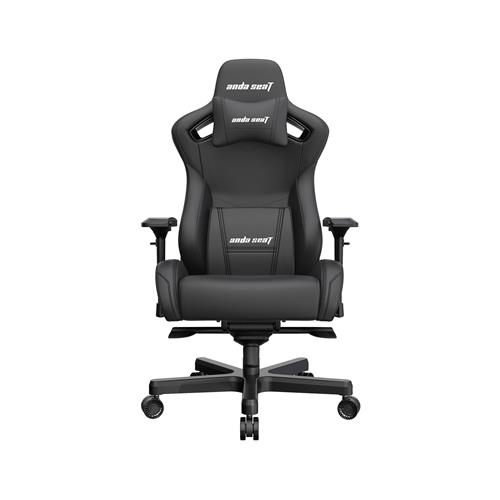
Gaming chairs such as the Anda Seat Kaiser 2 usually offer adjustable armrests, recline and support pillows. Take ten minutes to set each one properly rather than leaving everything on the factory settings.
Get the Desk and Peripherals Right
With your chair adjusted, look at the desk. When your hands are on the keyboard and mouse, your elbows should be at roughly a right angle and your wrists should stay fairly straight rather than bent up or down. If the desk is too high, raise the chair and add a footrest. If it is too low, consider raising the desk or choosing a height-adjustable model.
Keep the keyboard and mouse close together, so you do not have to reach out to the side for long periods. Many players angle the keyboard slightly to give the mouse more room. A large desk mat gives you a consistent surface and keeps everything in place.
Position Your Monitor
Your monitor should sit straight in front of you, about an arm's length away. The top of the screen should be roughly at eye level, so you look slightly down at the centre of the screen without tilting your head. If you use two monitors, put the one you use most directly in front of you. Reduce glare by placing the screen at an angle to windows rather than directly in front of or behind them.
Habits That Help
Even a perfect setup will not help if you sit still for hours. Build a few habits into your sessions:
- Stand up and move around between matches or every half hour or so.
- Look at something far away for a few seconds now and then to rest your eyes.
- Keep a drink of water within reach.
- Notice when your shoulders creep up and relax them.
If you have ongoing pain in your back, neck or wrists, speak to a doctor or physiotherapist rather than playing through it.
Upgrade Step by Step
You do not need to replace everything at once. Start with what causes you the most discomfort, whether that is a chair without back support or a desk that is the wrong height. Our gaming chairs and gaming desks sections are good places to compare options when you are ready to upgrade.