When the weather warms up, many gamers notice the same things: fans that sound like a jet engine, frame rates that drop after half an hour and a laptop that is almost too hot to touch. Your PC can only cool itself with the air around it, so a warm room makes every component work harder. When parts get too hot, they slow themselves down to stay safe, and that is when games start to stutter.
Here are practical ways to keep your gaming PC or laptop cool through the summer.
Start With the Room and the Position
The simplest fixes cost nothing:
- Keep the PC out of direct sunlight and away from radiators or other heat sources.
- Leave space around the case, especially at the intake and exhaust vents. A PC pushed into a closed desk cabinet will run hot.
- Raise the case off thick carpet so the bottom intakes can breathe.
- Close curtains or blinds during the hottest part of the day and air the room in the cooler evening.
Clean Out the Dust
Dust builds up on fans, filters and heatsinks and acts like a blanket. Before summer, switch off the PC, unplug it and clean it out. Remove and rinse the dust filters, then use short bursts of compressed air to clean the fans and heatsinks. Hold the fan blades still while you do this so they do not spin too fast. For laptops, blow air through the vents in short bursts while the machine is switched off.
Check Airflow Inside the Case
Good airflow means cool air coming in at the front or bottom and warm air leaving at the back or top. Check that your fans point the right way. Most fans have small arrows on the frame that show the direction of airflow. Tidy loose cables so they do not block the path of the air, and consider adding an extra case fan if your case has empty mounting points. You can also set a more aggressive fan curve in the BIOS or fan software, so the fans speed up earlier when temperatures rise.
Refresh the Thermal Paste
The thermal paste between your processor and its cooler helps move heat away from the chip. Over the years it can dry out and become less effective. If your PC is a few years old and runs hotter than it used to, replacing the paste with a quality compound such as ARCTIC MX-6 can help. Clean off the old paste carefully with isopropyl alcohol and a lint-free cloth, apply a small amount of new paste and refit the cooler evenly. If you are not comfortable doing this yourself, ask a local repair shop.
Extra Tips for Gaming Laptops
Laptops have less room for cooling, so they feel the heat sooner:
- Always use the laptop on a hard, flat surface, never on a bed, sofa or your lap.
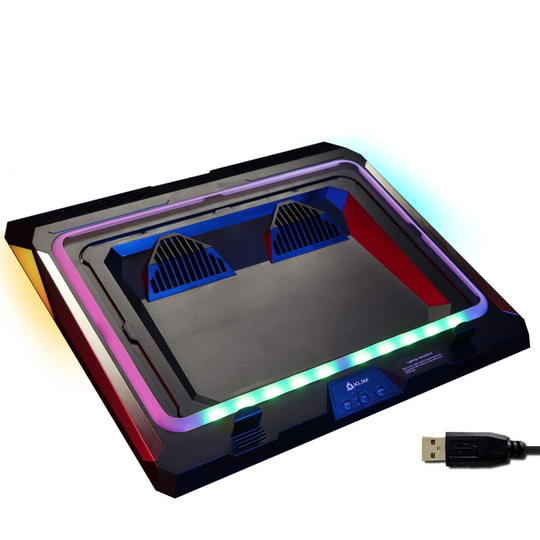
- A cooling pad adds fans under the laptop and raises it slightly so more air reaches the intakes.
- Use the manufacturer's performance or fan mode for gaming sessions.
- Cap your frame rate in games where you do not need hundreds of frames per second. This reduces heat and noise.
Keep an eye on temperatures with a free monitoring tool, so you can see whether your changes are working. With a bit of care, your setup will stay cool and quiet all summer. Browse our computer components for fans, coolers and other upgrades.